🎁 Gisou x Sephora Pop-Up System
Technical Overview & Flow Documentation
December 12-13, 2025 | Astor Place Plaza, NYC
📋 Executive Summary
Project: Complete digital gift redemption and product testing waiver system for Gisou Holiday Pop-Up
Platform: RelayPro
Timeline: 2-day event, December 12-13, 2025
Capacity: 500+ registrations/hour, 300+ waivers/hour
Key Features
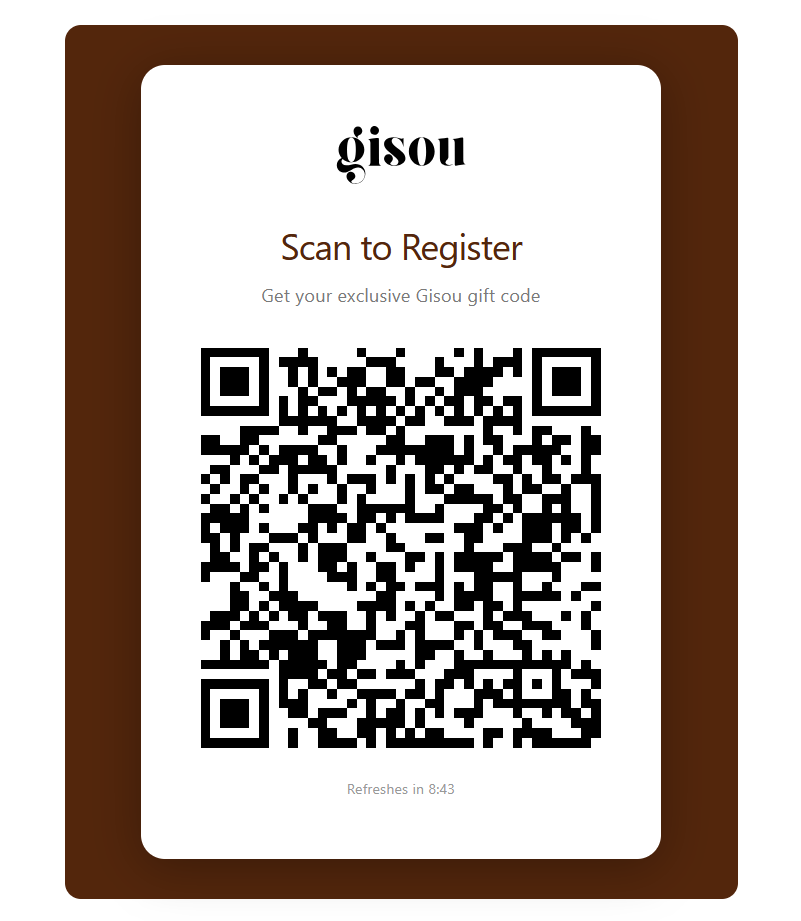
- ✅ Time-based QR code system (30 min expiry, 50 uses per code)
- ✅ Automated email distribution of gift codes
- ✅ Employee redemption tool with secure login
- ✅ Digital waiver with signature capture and IP logging
- ✅ Standalone walk-in product testing flow
- ✅ Rate limiting and security controls
Security Measures
Rate Limiting Role-Based Access Email Uniqueness One-Time Use Waivers IP Logging Secure Authentication🔐 System Access
QR Display Tool (Sephora Side)
URL:
https://gisou.relaypro.nlLogin:
qr@gisou.comPassword:
QR2209!#Access Level: QR Token Display only
Redemption Tool (Pop-Up Side)
URL:
https://gisou.relaypro.nlLogin:
popup@gisou.comPassword:
popup2209!#Access Level: Redemption workspace access
Admin Access
URL:
https://gisou.relaypro.nlCredentials: Brian's admin account
Access Level: Complete system administration
- Do not share credentials publicly
- QR display account can only view/display QR codes
- Redemption account can only access the redemption workspace
- Admin account has full system access - use responsibly
🏗️ System Architecture
Data Structure
| Component | Purpose | Key Information |
|---|---|---|
| QR Token | Time-based registration tokens | 30-minute expiry, 50 uses maximum, auto-refresh |
| Gift Redemption | Customer registrations & gift codes | Unique email, GISOU-XXXXXX codes, waiver data storage |
| Waiver | Standalone product testing waivers | Walk-in customers, unique email, signature + IP logging |
Security & Rate Limiting
Capacity: System handles 500+ registrations and 300+ waivers per hour
Protection: Email uniqueness prevents duplicate registrations
Legal Compliance: All signatures logged with IP address, timestamp, and full legal text
🎯 Flow 1: Sephora QR → Registration
Customer Journey
Sephora staff logs into QR Display Tool to show rotating QR code
qr@gisou.com / QR2209!#Display: Large QR code with countdown timer
Token Validity: 30 minutes from generation
Max Uses: 50 registrations per token
Auto-refresh: New token generated automatically when expired or maxed out
Opens registration form
On failure: Shows "Invalid or expired QR code" message
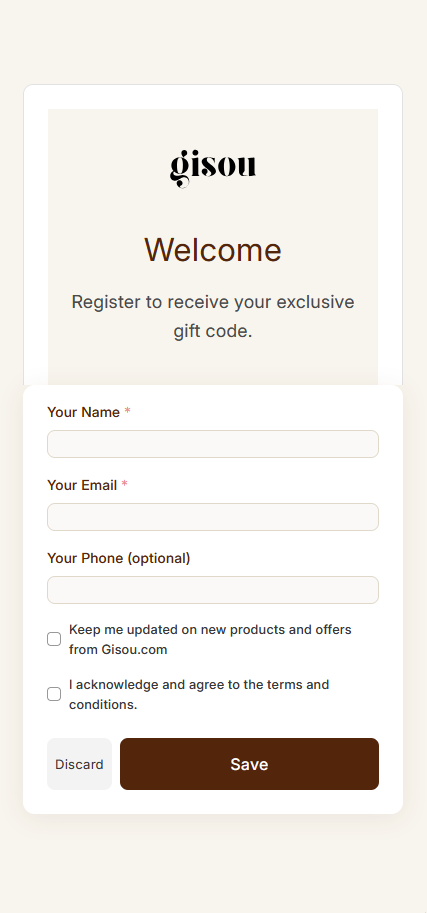
Required: Full Name, Email, Phone Number
Validation: All fields required, phone format checked
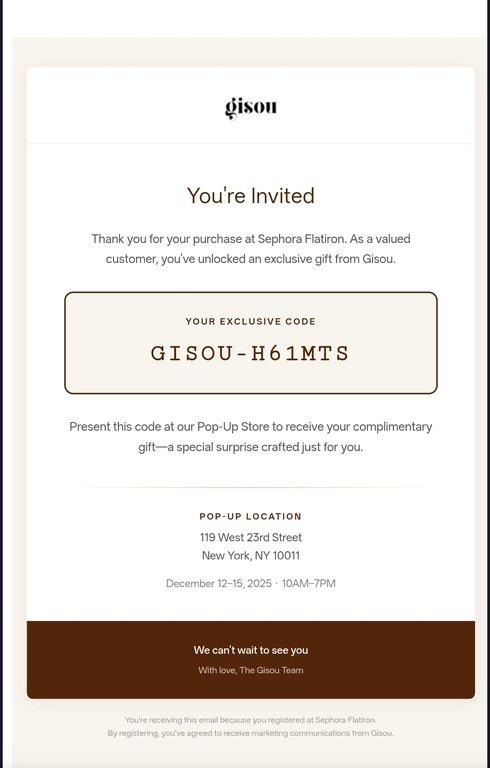
Format: GISOU-XXXXXX (6 random uppercase alphanumeric characters)
Uniqueness: Guaranteed unique, regenerates if collision detected
Automated email delivery with premium Gisou branding
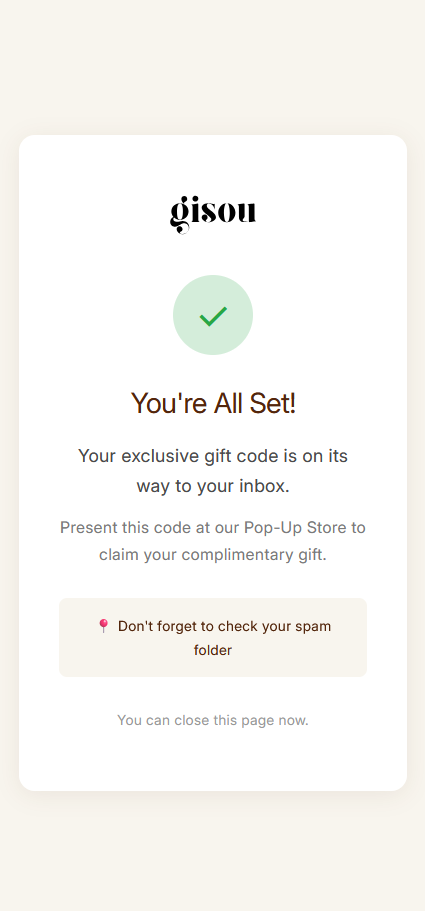
"Check your email for your gift code!"
🎁 Flow 2: Pop-Up Gift Redemption + Optional Waiver
Employee Tool Usage
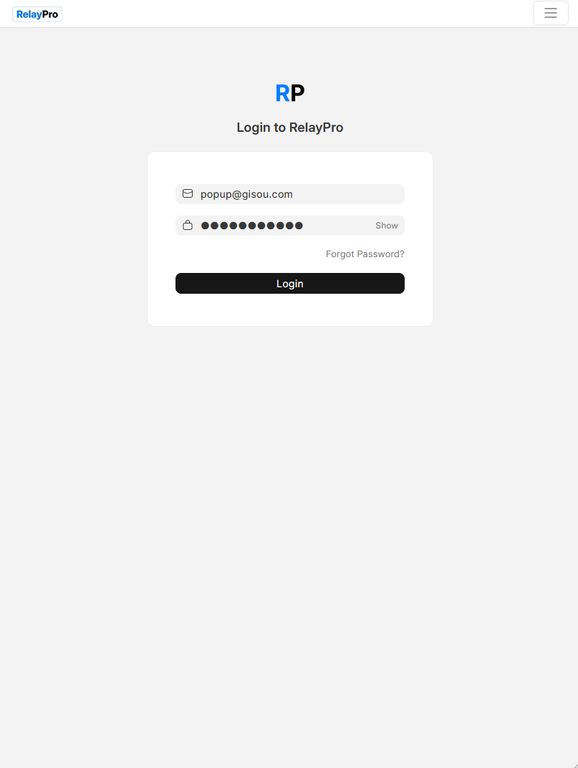
Access secured workspace for gift redemption and waiver generation
https://gisou.relaypro.nlLogin:
popup@gisou.comPassword:
popup2209!#
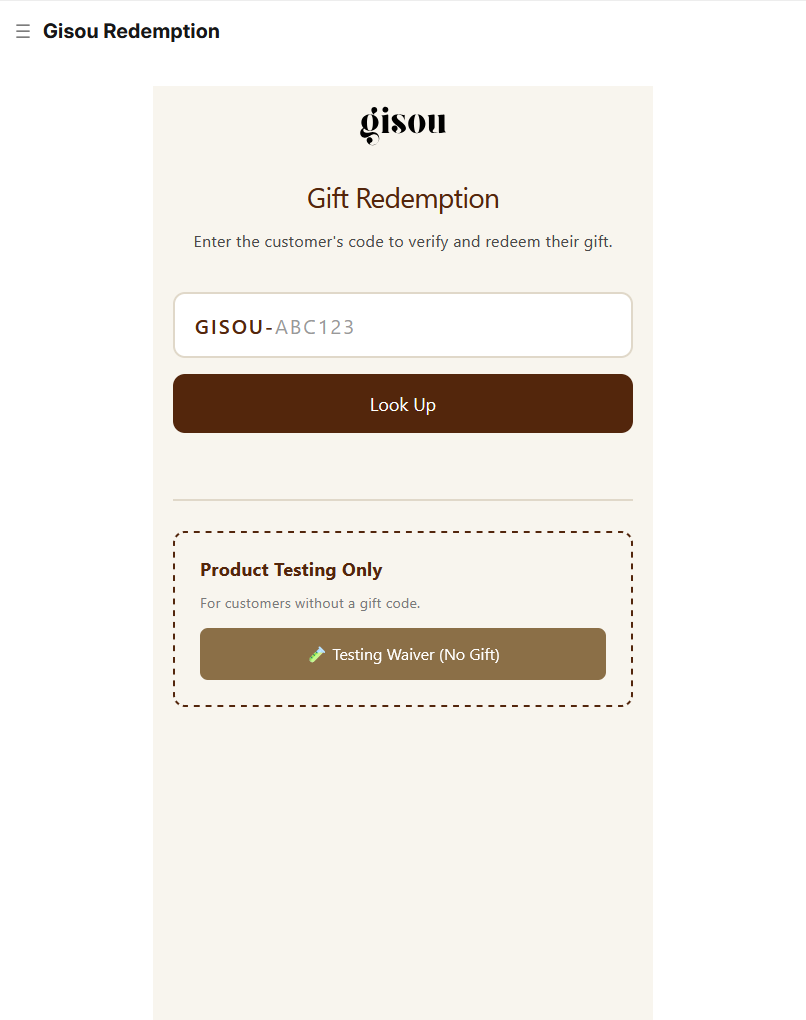
Customer shows email, employee types last 6 characters
Shows customer information and current status
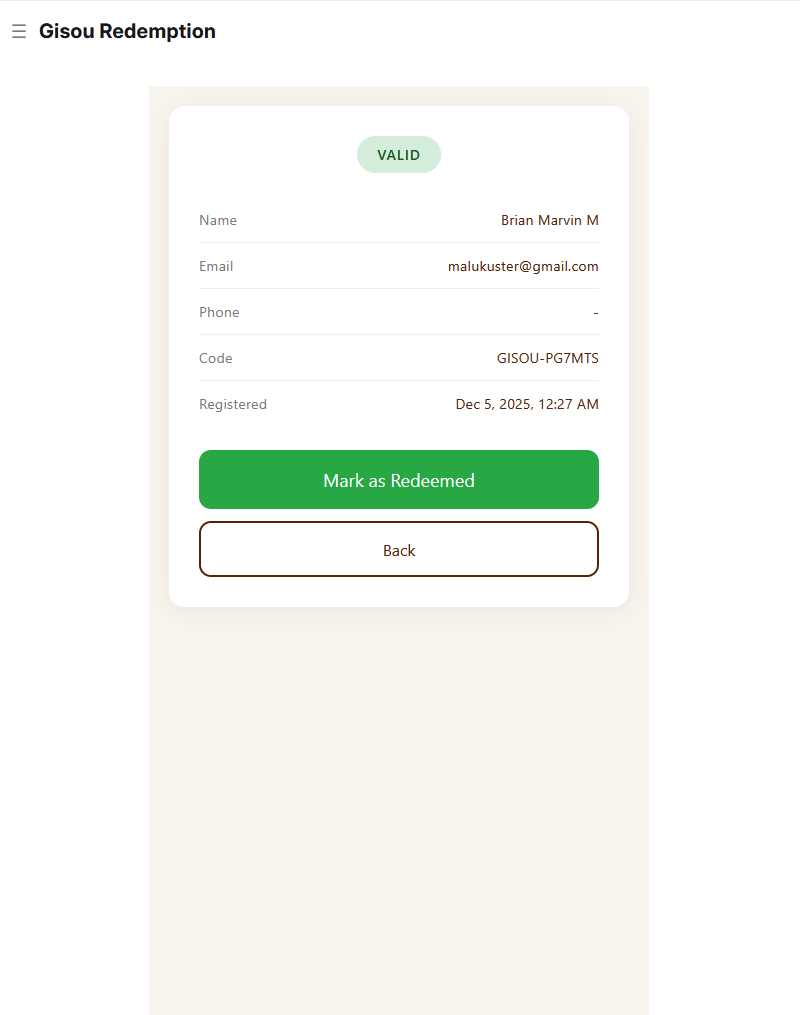
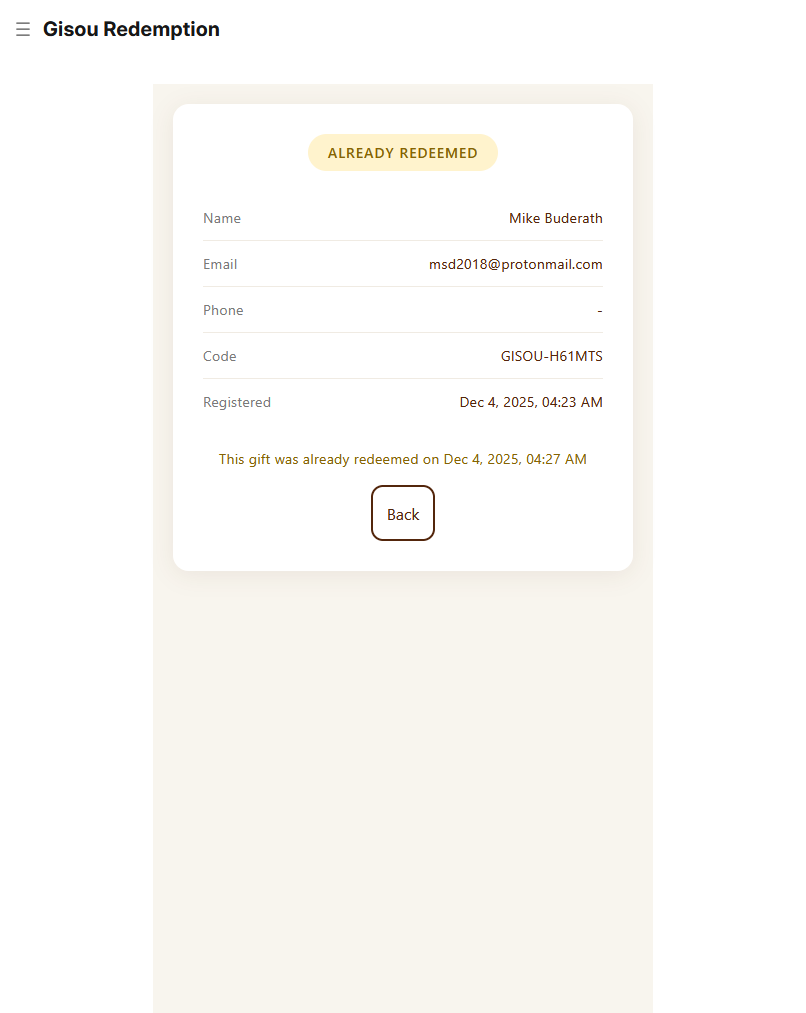
One-click redemption, updates database instantly
Two choices: Generate Testing Waiver or Skip (Gift Only)
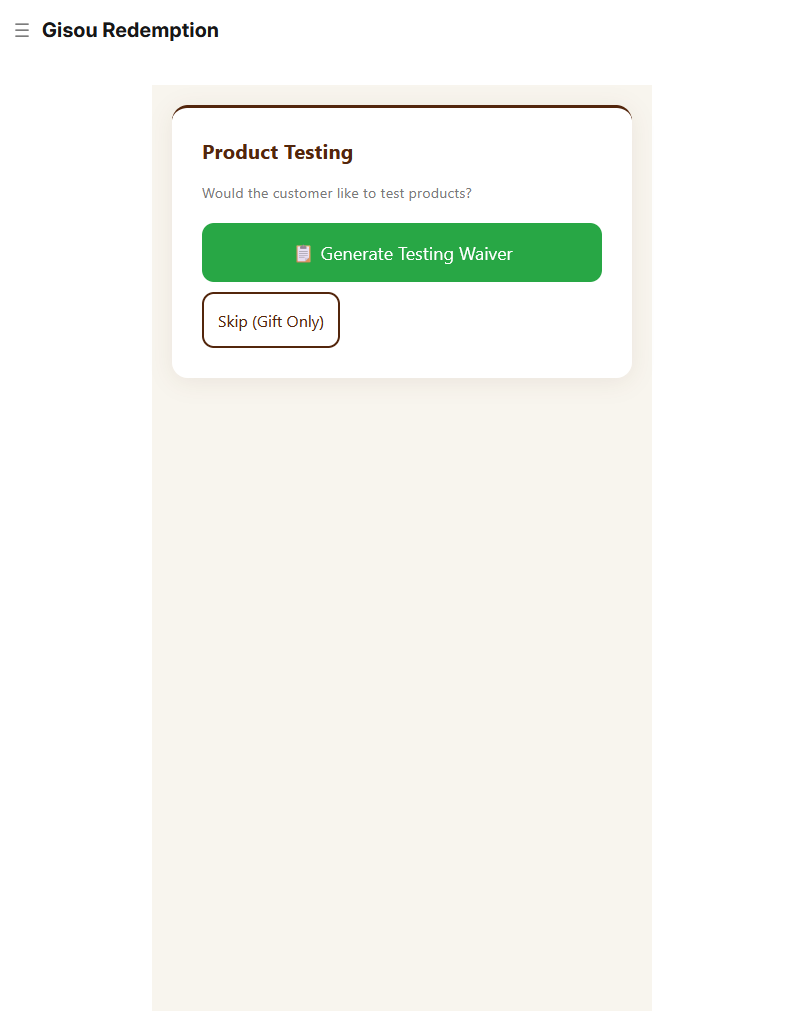
Option B: Gift + Product Testing
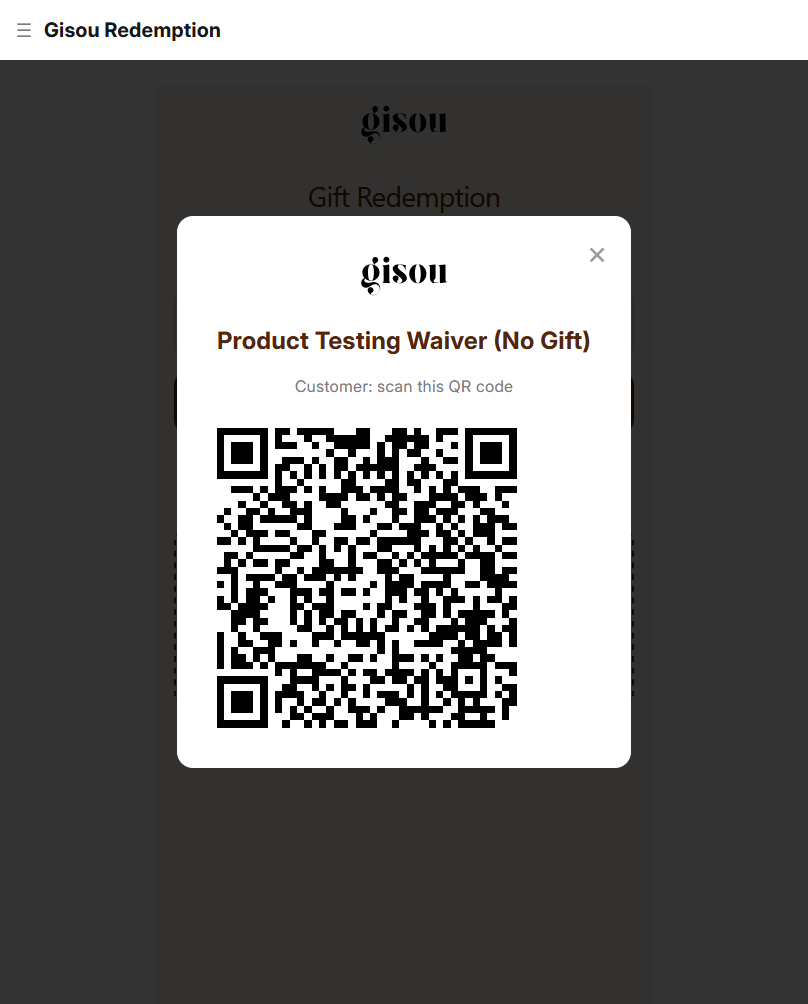
Employee clicks button, QR popup appears
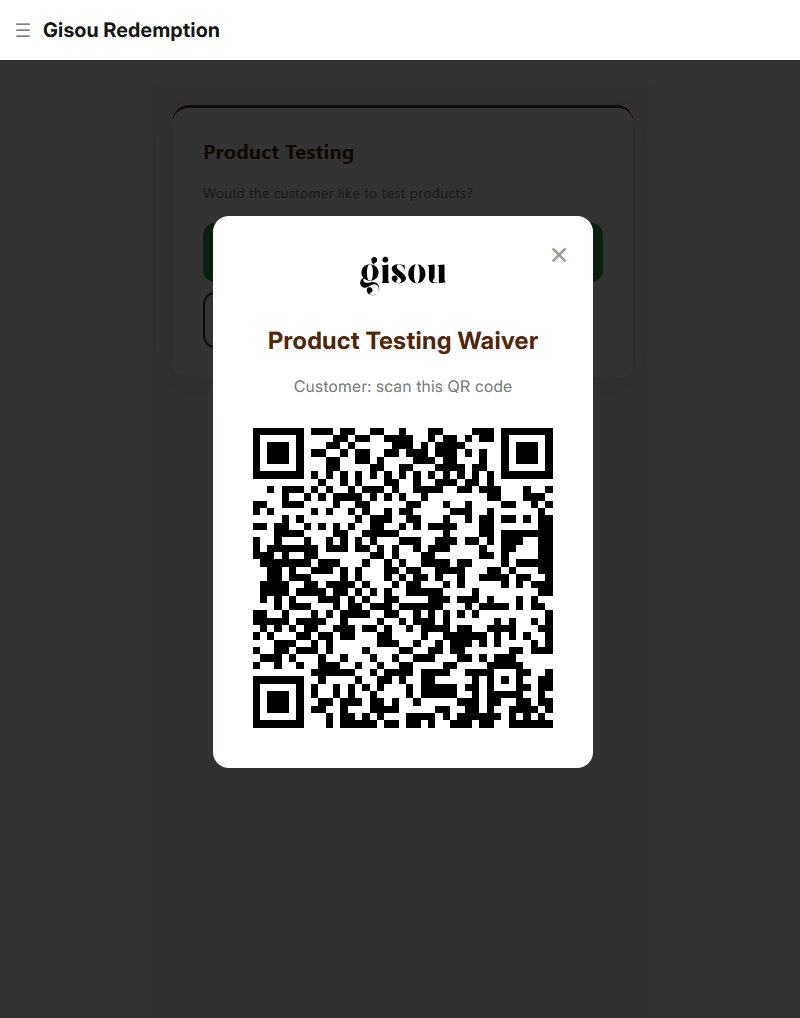
Waiver form opens with name and email pre-filled
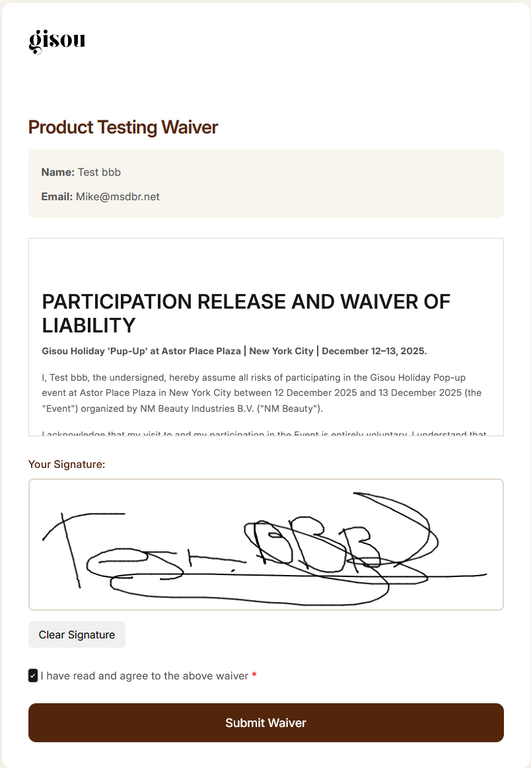
Scrolls legal text, draws signature, checks agreement box
- Digital signature (base64 image)
- Full legal text with customer name
- Timestamp (NYC timezone)
- IP address (legal requirement)
- Device/browser information
Large green checkmark displayed - customer shows to employee
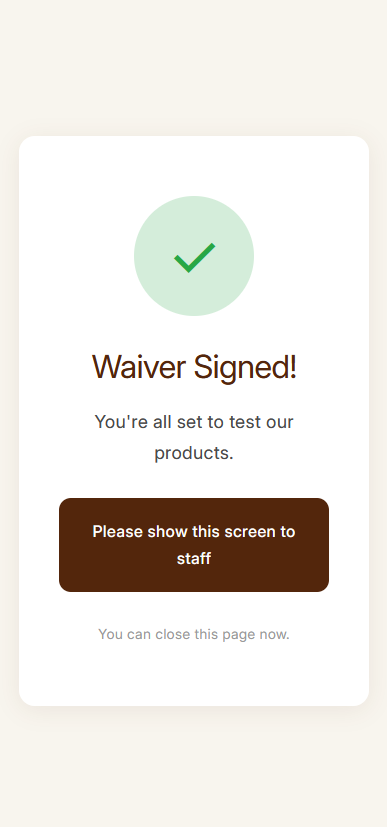
🧪 Flow 3: Standalone Product Testing (No Gift)
Walk-In Customer Flow
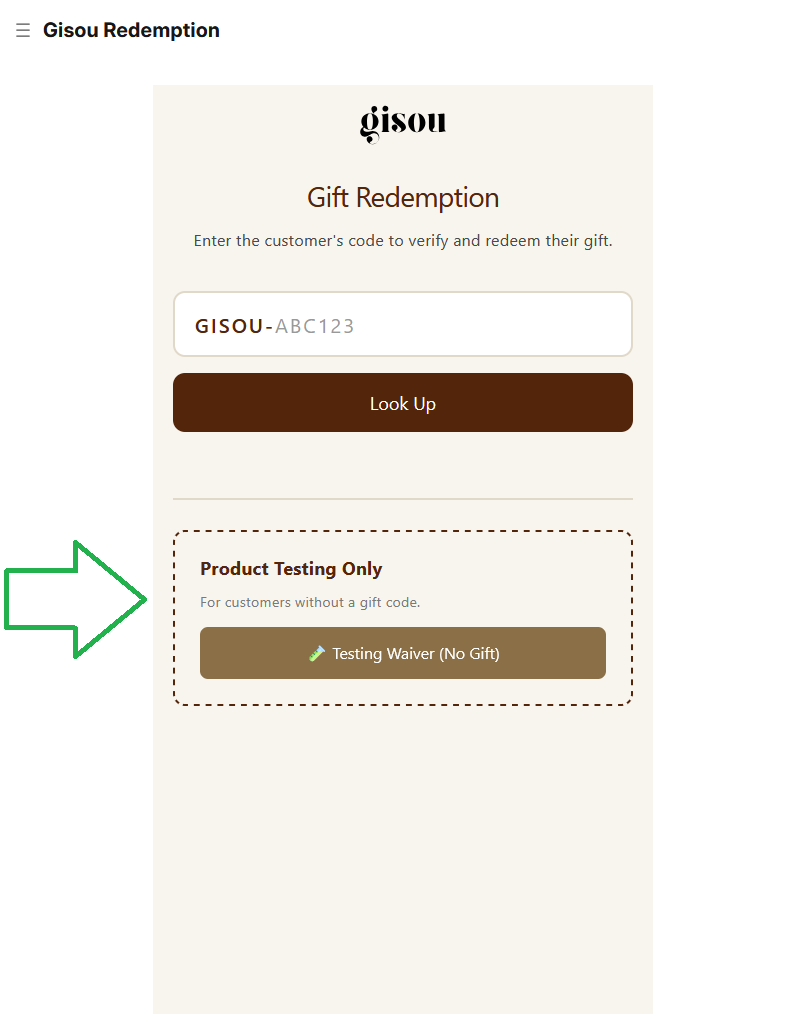
Employee clicks "Testing Waiver (No Gift)" button in redemption tool
Static QR for standalone waiver (no pre-filled data)
Empty waiver form - customer enters own name and email
Separate database: Stored separately from gift redemptions
Review legal text, sign, agree, submit - same success screen
⚙️ Backend Management & Reporting
Data Access
All data accessible via admin account at https://gisou.relaypro.nl
Available Reports & Views
- All customer registrations from Sephora QR flow
- Shows: Name, Email, Phone, Gift Code, Redemption Status, Waiver Status
- Filters: Date range, Redeemed (Yes/No), Waiver Signed (Yes/No)
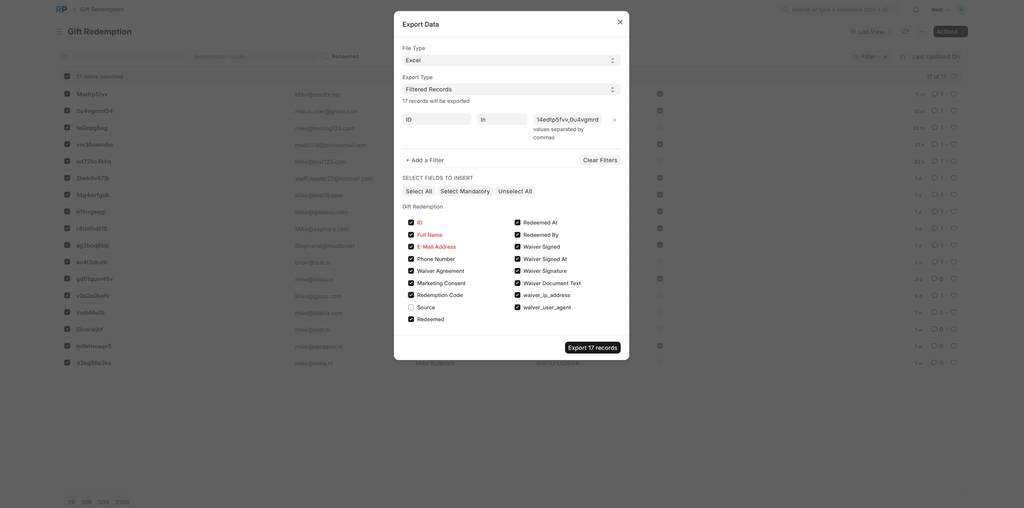
- Export: Excel, CSV available
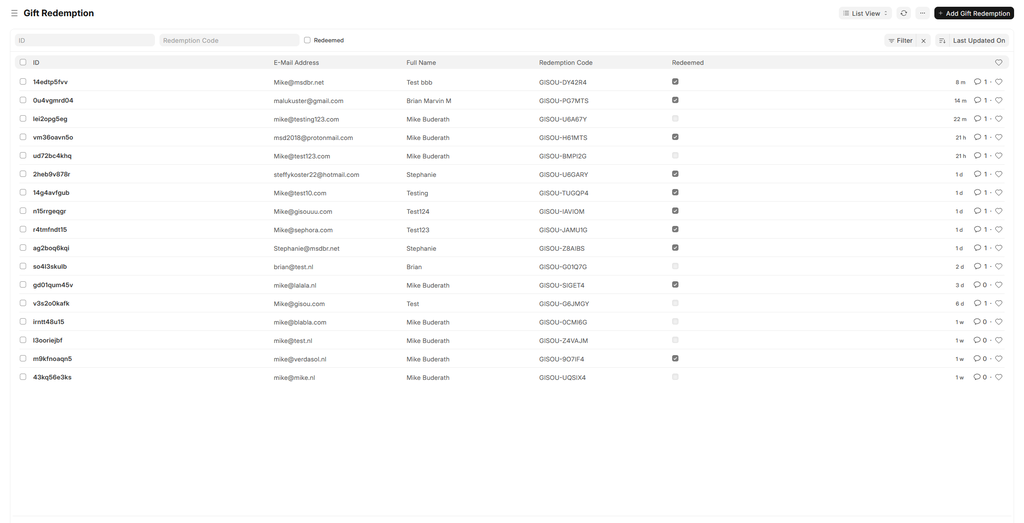
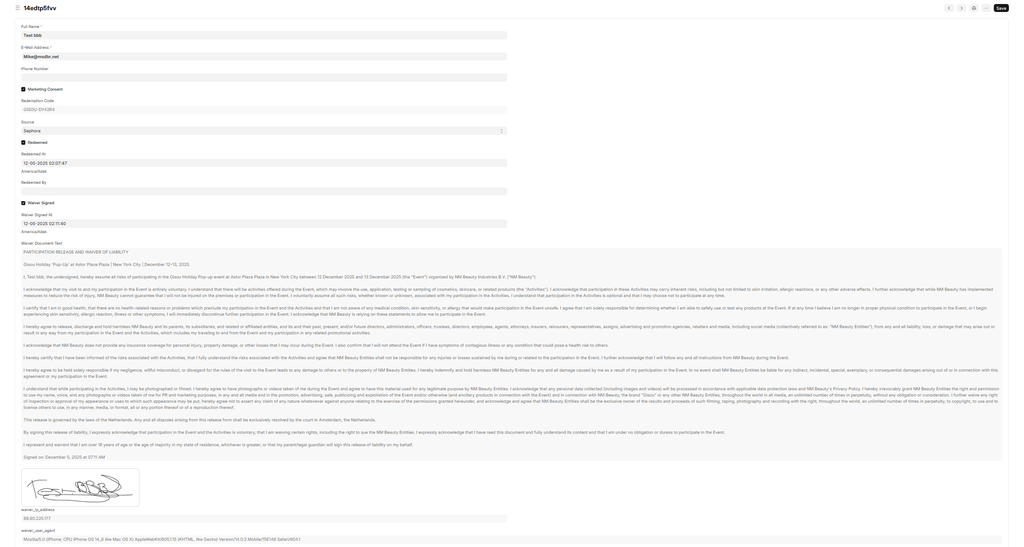
- Complete customer details
- Gift code and redemption timestamp
- Waiver signature image (if signed)
- Full legal document text
- IP address and device information
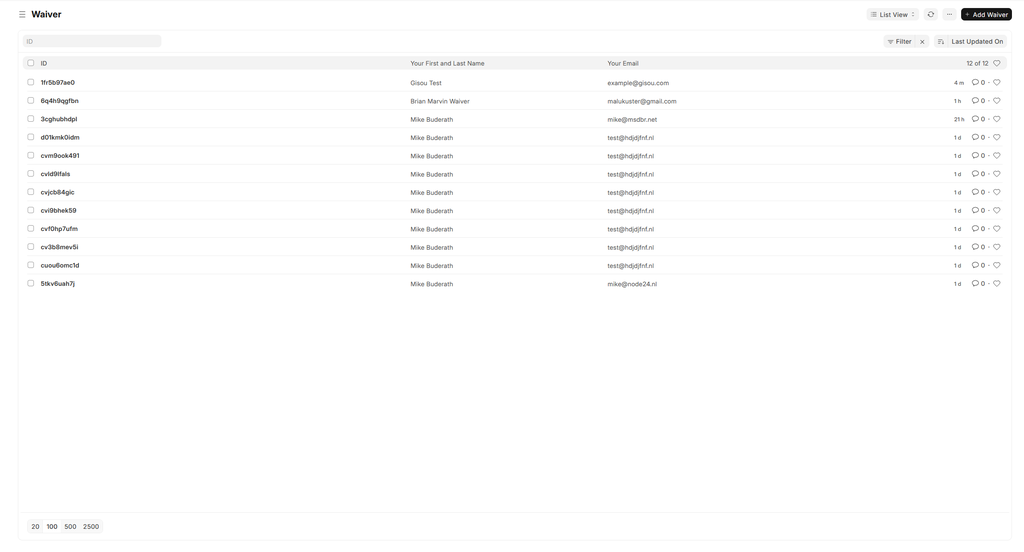
- All walk-in testers (no gift)
- Separate from gift redemptions
- Same waiver data: signature, IP, legal text
Real-Time Metrics
- Total registrations (count)
- Total redemptions (count)
- Total waivers signed (count)
- Registration rate per hour
- Current QR token status
Post-Event Data
- Complete customer database (Excel/CSV)
- All waiver signatures (downloadable images)
- IP addresses and timestamps for legal compliance
- Full legal text for each signed waiver
🔧 Technical Specifications
Platform
Hosting: Hetzner Germany
Domain: gisou.relaypro.nl
SSL: Let's Encrypt (auto-renewal)
Backup: Daily automated backups
Email: Automated delivery via SMTP
Security Features
- Role-based authentication (separate QR and Redemption accounts)
- Admin account for full system access
- Secure login required for all tools
- Email uniqueness prevents duplicate registrations
- One-time waiver signing per gift code/email
- Rate limiting prevents system abuse
- HTTPS encryption for all traffic
- IP address logging for each signature
- Full legal text stored with each waiver
- Timestamp in event timezone (America/New_York)
- Digital signature capture (base64 PNG)
Capacity & Performance
- 500+ registrations per hour
- 300+ waiver signatures per hour
- Multiple employee devices simultaneously
Auto-refresh: QR tokens update automatically every 30 minutes
Browser Compatibility
- iOS Safari (iPhone/iPad)
- Android Chrome
- Desktop Chrome, Firefox, Safari
Responsive: All forms optimized for mobile screens
🔍 Common Issues & Solutions
Registration Issues
Solution: QR Display Tool auto-generates new token - refresh page if needed
Solution: Customer should check email for existing gift code
Redemption Issues
Solution: Double-check code, ask customer to show email
Solution: This is correct - show customer the redemption timestamp
Waiver Issues
Solution: This is intentional one-time use protection
Solution: Ensure customer actually draws on canvas and checks box
Login Issues
Solution: Use
popup@gisou.com / popup2209!#
Solution: Use
qr@gisou.com / QR2209!#
Emergency Support
Admin Access: Use admin account for full system control
During Event: Support available during event hours
✅ Pre-Event Readiness Checklist
| Item | Status |
|---|---|
| All web forms published and accessible | ✅ |
| QR Display Tool login working | ✅ |
| Redemption Tool login working | ✅ |
| Admin access verified | ✅ |
| Email delivery operational | ✅ |
| SSL certificate valid | ✅ |
| QR auto-refresh working | ✅ |
| Signature pad tested on mobile | ✅ |
| IP logging functional | ✅ |
| All three flows end-to-end tested | ✅ |
| Rate limiting active | ✅ |
| Backup system operational | ✅ |
Day-of-Event Checklist
- Verify server status and uptime
- Check SSL certificate validity
- Confirm email sending is operational
- Test QR codes scan from Sephora materials
- Employee devices charged and internet connected
- Login credentials distributed to staff
- Admin contact information available